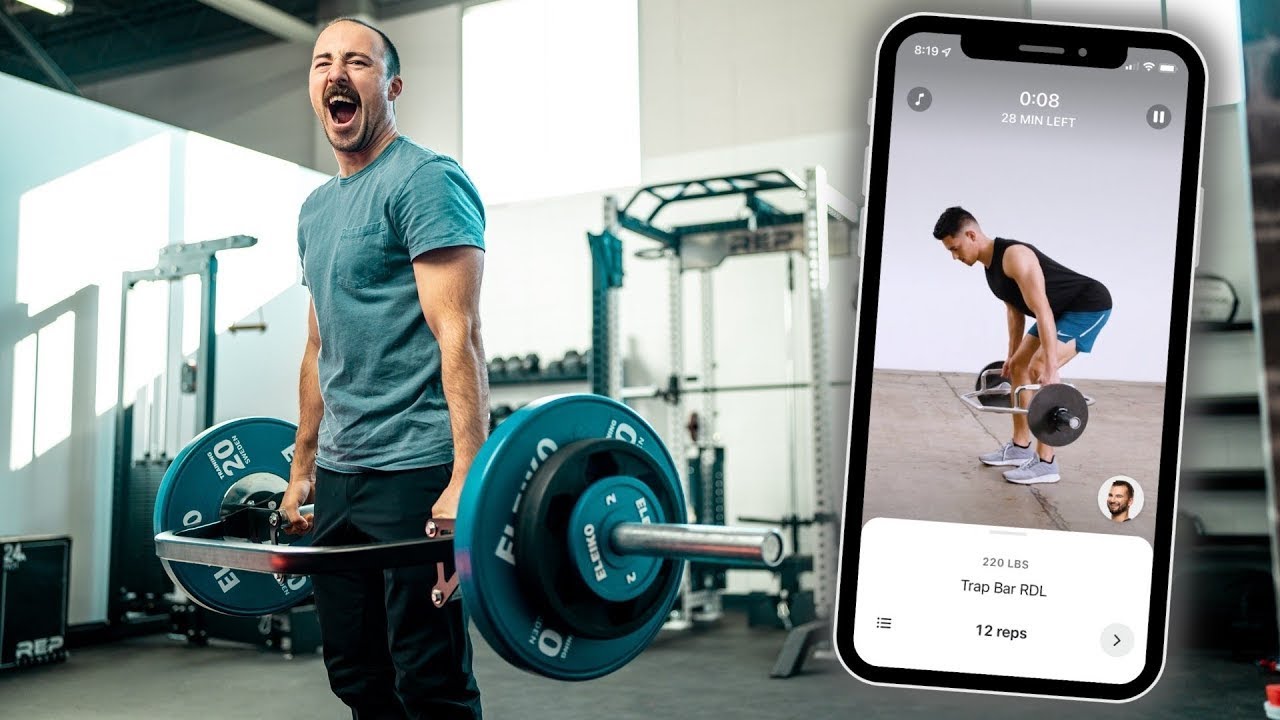
Top Fitness Apps for Tracking Workouts and Progress. Staying consistent with workouts and tracking progress are two of the biggest challenges people face on their fitness journeys. Whether you are just starting or you’ve been exercising for years, using the right fitness app can make tracking workouts easier, more motivating, and more effective. In today’s digital age, countless apps help you log workouts, monitor progress, set goals, plan routines, and even connect with friends for support.
This comprehensive guide explores the top fitness apps for tracking workouts and progress, how they work, key features, real examples, and answers to frequently asked questions. You’ll learn how to choose the best app for your needs, how to use these tools to stay motivated, and how tracking your fitness can accelerate your results.
Why Use a Fitness App to Track Workouts
Tracking workouts and progress through an app can benefit your fitness journey in several ways:
Stay Organized
Writing workouts on paper or trying to remember what you did last time is easy to forget. Fitness apps help you record sets, reps, weights, durations, and notes in one place.
Monitor Progress
Seeing progress visually—like charts, graphs, streaks, and personal records—boosts confidence and motivates consistency.
Personalization
Apps can tailor recommendations based on your goals, experience level, and preferences. Whether you want to build strength, lose weight, increase endurance, or improve mobility, there’s an app to support you.
Built-In Guidance
Many fitness apps include exercise tutorials, pre-built plans, timers, reminders, and video demonstrations so you always know what to do.
Community and Motivation
Some apps offer leaderboards, challenges, social sharing, and support communities for accountability.
Key Features to Look for in a Fitness App
Not all fitness apps are created equal. Choosing the right one depends on what you want to achieve. Here are core features to consider:
Workout Logging
This includes tracking sets, reps, weights, rest periods, distance, speed, or calories burned.
Progress Visualization
Graphs and charts that show improvements over time help you understand how far you’ve come.
Goal Setting
Apps that let you set specific, measurable, attainable, relevant, and time-bound goals are more effective.
Instructional Content
Video tutorials, exercise libraries, and detailed instructions are essential for technique and safety.
Sync and Integration
Many apps sync with wearables (like fitness watches), health apps, or other platforms to centralize data.
Custom Plans
Programs tailored to your goals and schedule save time and provide structure.
Top Fitness Apps for Tracking Workouts and Progress
Below is a curated list of the best fitness apps available, what they offer, and examples to help you choose the right one for your needs.
1. MyFitnessPal
Overview
MyFitnessPal is one of the most popular health and fitness apps because it combines meal tracking with workout logging. It provides a holistic approach to both nutrition and exercise.
Key Features
- Exercise tracking for cardio and strength workouts
- Food diary with a massive built-in food database
- Syncs with wearable devices and other apps
- Goal setting for calories, macros, and weight change
Example of Use
If your goal is weight loss, you can log your lunch, track calories burned during a run, and see how your daily balance aligns with your plan. Over time, MyFitnessPal shows trends that reveal whether you’re on track to meet your goals.
Best For
People who want an all-in-one app for diet and exercise tracking.
2. Strava
Overview
Strava is a favorite among runners, cyclists, and outdoor athletes. It focuses on route tracking, speed, elevation, and performance metrics.
Key Features
- GPS tracking for runs and rides
- Leaderboards and segments to compare with others
- Detailed performance analytics
- Social features to follow friends and join clubs
Example of Use
If you go for a morning run, Strava tracks your route, time, pace, and elevation. It also lets you compare how your run stacks up against your previous runs on the same route or against other users.
Best For
Runners, bicyclists, hikers, and outdoor activity enthusiasts.
3. Nike Training Club
Overview
Nike Training Club (NTC) offers a wide range of workout programs with guided video sessions. Its focus is on structured workouts for strength, endurance, mobility, and recovery.
Key Features
- On-demand workouts with video instructors
- Programs tailored by goal, experience level, and duration
- Tracking for consistency and workout history
- Integration with Apple Health and wearables
Example of Use
Choose a four-week strength program, follow the daily workouts, and track your consistency. The app adjusts recommendations based on your preferences and progress.
Best For
Users who want structured training programs with video guidance.
4. Strong
Overview
Strong is a powerful workout tracker designed specifically for strength training. It simplifies logging and progress tracking for weightlifting routines.
Key Features
- Easy logging of sets, reps, and weights
- Personal records tracking
- Rest timer and workout history
- Custom routines and template saving
Example of Use
If you are following a powerlifting routine, Strong lets you input your exercises, update weights lifted, and compare past performance. Over weeks, it highlights your improvements.
Best For
People who focus on strength training and lifting.
5. Fitbod
Overview
Fitbod uses artificial intelligence to generate personalized workout plans based on your goals, available equipment, and performance history.
Key Features
- Smart workout generation based on your data
- Exercise variety to prevent plateaus
- Tracking for sets, reps, and weights
- Integration with Apple Watch and Health app
Example of Use
After inputting your goals and available equipment (like dumbbells, bands, or machines), Fitbod creates workouts that balance muscle groups and adjust daily as you log workouts.
Best For
Users who want personalized, adaptive strength training plans.
6. JEFIT
Overview
JEFIT is a comprehensive training app with a large exercise database and detailed progress tracking for both beginners and advanced lifters.
Key Features
- Thousands of exercises with animations
- Workout planner and scheduler
- Progress charts for strength and body measurements
- Social support and community challenges
Example of Use
Create a four-day split (upper/lower, push/pull, etc.), schedule workouts in the app, log performance, and track muscle group progress over months.
Best For
Serious strength trainers and athletes seeking detailed tracking.
7. 8fit
Overview
8fit combines fitness routines with meal planning and nutrition guidance. It targets people looking for balanced lifestyle changes.
Key Features
- Personalized workouts for various goals
- Custom meal plans with recipes
- Progress tracking for both diet and exercises
- Tips and insights for healthy habits
Example of Use
Select your goals (like fat loss or muscle gain), complete short workouts, and follow suggested meal plans. The app helps you stay consistent with both moves and meals.
Best For
Beginners and people seeking a combined meal + exercise solution.
8. Google Fit
Overview
Google Fit is a simple fitness tracking platform that records steps, activity time, heart rate, and workout sessions. It is ideal for users who want a lightweight, easy-to-use option.
Key Features
- Automatically tracks walking, cycling, and workouts
- Heart points and move minutes to motivate activity
- Syncs with many third-party apps and wearables
- Minimalist interface
Example of Use
If you walk every day and do occasional workouts, Google Fit shows how much active time you get each week and encourages you to beat previous activity scores.
Best For
Users who want simple tracking without complicated features.
9. Apple Fitness+
Overview
Apple Fitness+ is a subscription-based platform for guided workouts with video instructors. It integrates deeply with the Apple ecosystem.
Key Features
- Studio-style workout videos
- Personalized recommendations based on your Apple Watch data
- Multiple workout types (yoga, HIIT, strength, dance)
- Real-time metrics shown on screen
Example of Use
If you wear an Apple Watch, Fitness+ displays your heart rate and calories burned during workouts, motivating you to push for progress.
Best For
Apple device users who want integrated guided workouts.
How to Choose the Right Fitness Tracking App
Selecting the best app depends on your goals, experience level, and preferences. Consider the following:
Identify Your Goals
- Want strength gains? Look for Strong, Fitbod, or JEFIT
- Focused on cardio? Strava or Google Fit may be best
- Need nutrition help? MyFitnessPal or 8fit are excellent choices
- Enjoy guided workouts? Nike Training Club or Apple Fitness+ delivers structure
Think About Your Experience Level
Beginners may prefer apps with guidance and tutorials, while advanced users might want detailed metrics and customization.
Consider Device Compatibility
Check if the app works with your phone, wearable, or smartwatch.
Look at Community Features
If motivation from others matters to you, prioritize apps with challenges, groups, or social features.
Tips for Getting the Most Out of Fitness Apps
Downloading an app is only the first step. Here are ways to ensure you stay committed and benefit from it:
Log Every Workout
Even on days when performance feels low, logging workouts builds consistency and helps identify patterns.
Set Realistic Goals
Avoid goals that are too extreme. Break big goals into smaller milestones so you stay motivated.
Review Your Progress Weekly
Check charts and metrics regularly to see what’s working and where adjustments might help.
Pair Tracking With Reflection
Add notes about how workouts made you feel, energy levels, sleep quality, or stress. This makes data more meaningful.
Frequently Asked Questions (FAQs)
Are fitness apps accurate for tracking workouts?
Most fitness apps provide a close estimate of workouts and progress. Accuracy depends on manual logging and device sensors, especially for heart rate and GPS. However, trends over time are more important than perfect numbers.
Do fitness apps work without a wearable device?
Yes. Many apps let you manually log workouts and track trends without needing a smartwatch or tracker. Wearables only add automatic tracking and extra metrics.
Can fitness apps replace a personal trainer?
Apps can guide you, provide structure, and track workouts, but they are not a complete replacement for personalized coaching. A personal trainer offers individualized feedback, form correction, and motivation that apps cannot fully replicate. That said, apps are excellent tools for most people.
Are fitness apps free?
Many apps offer free versions with basic features. Some require subscriptions for advanced features, personalized plans, or premium content.
How often should I log my workouts?
For the best results, log workouts every time you train. Consistent tracking gives clearer insights and progress trends.
Final Thoughts
Tracking workouts and progress with a fitness app can dramatically improve your fitness journey. Whether your goals are weight loss, muscle gain, endurance improvement, or simply staying active, the right app can provide structure, motivation, analytics, and accountability.
Choosing the best fitness app depends on your goals, lifestyle, and preferences. From comprehensive solutions like MyFitnessPal and 8fit to strength-focused tools like Strong and JEFIT, there’s an app for every type of user.
By using these tools consistently and reflecting on your progress, you’ll not only track data—you’ll see real growth. Empower your fitness journey with an app that supports your goals and makes tracking workouts fun, simple, and motivating.