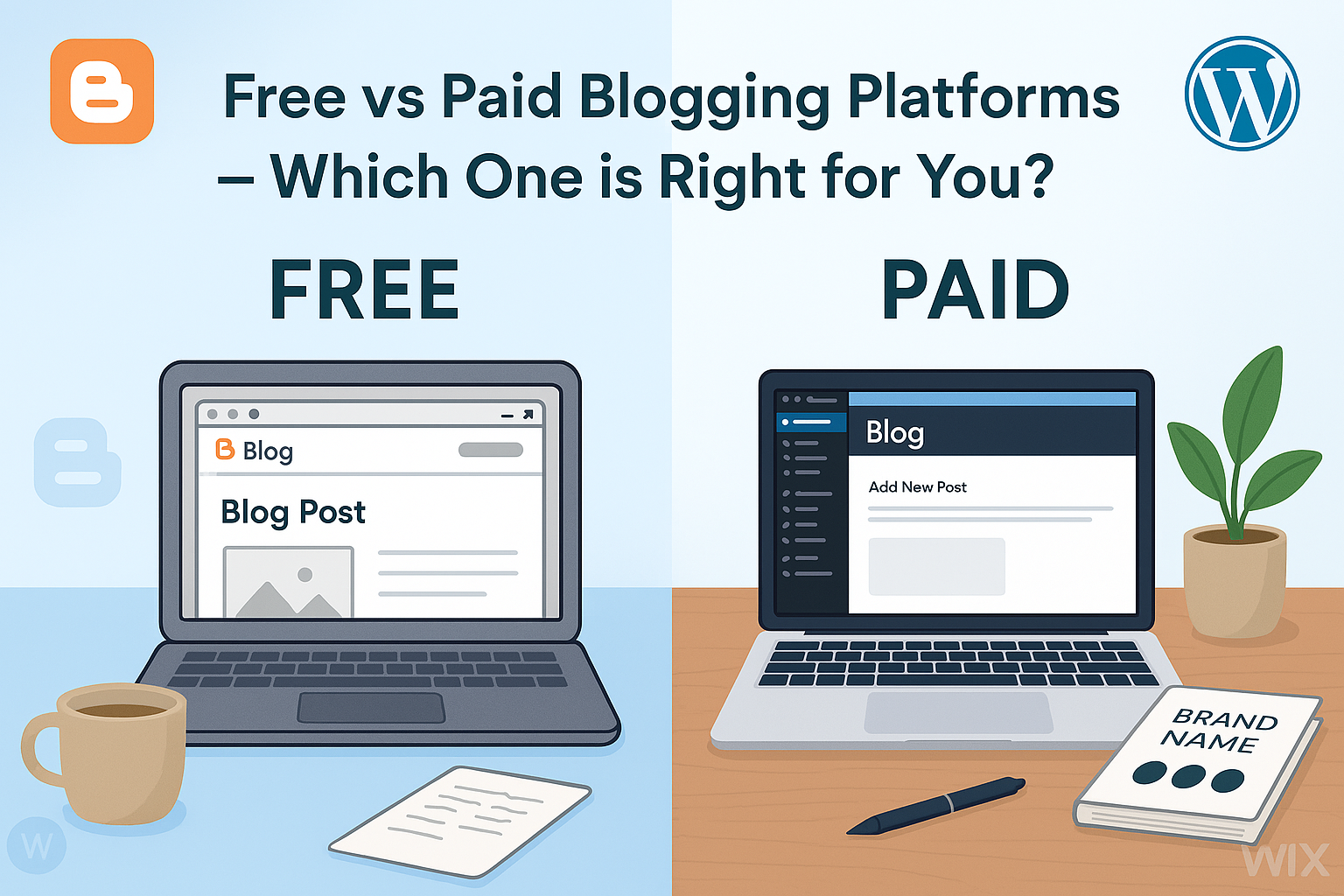
Free vs Paid Blogging Platforms: Which Is Better? Starting a blog is one of the most popular ways to share ideas, build an online presence, or even make money. One of the first decisions a new blogger faces is whether to use a free or paid blogging platform. Both have advantages and disadvantages, and the choice can affect your blog’s growth, customization, and monetization potential.
In this guide, we will compare free vs paid blogging platforms, provide examples, and answer common questions to help you decide which option is best for your blogging goals.
Understanding Blogging Platforms
A blogging platform is a service that allows you to create, publish, and manage content online. They provide the tools needed for writing posts, customizing the design, and managing your audience.
Free Blogging Platforms
Free blogging platforms allow you to start a blog without any upfront cost. They are beginner-friendly and often provide hosting and basic customization.
Examples:
- WordPress.com (Free Plan)
- Blogger
- Medium
Paid Blogging Platforms
Paid blogging platforms require a subscription or a one-time payment. They often provide more advanced features, control, and customization options.
Examples:
- WordPress.org (Self-hosted)
- Wix Premium Plans
- Squarespace
Key Differences Between Free and Paid Blogging Platforms
When comparing free and paid platforms, there are several key factors to consider.
Cost
- Free Platforms: No cost, but limited features and branding restrictions. Some platforms may display ads on your blog.
- Paid Platforms: Monthly or annual fees, but you gain control over design, monetization, and features.
Example:
A student starting a hobby blog might choose WordPress.com free plan to experiment without financial commitment. A small business owner might choose WordPress.org with hosting for $5–$10/month for full control.
Domain Name
- Free Platforms: Usually include a subdomain (e.g., yourblog.wordpress.com). This can look less professional.
- Paid Platforms: You can use a custom domain (e.g., yourblog.com), which improves branding and credibility.
Example:
A travel blogger using Blogger might have a free URL like “myadventures.blogspot.com,” whereas a paid WordPress.org site can have “myadventures.com.”
Customization and Design
- Free Platforms: Limited themes, templates, and customization options.
- Paid Platforms: Full access to themes, templates, and advanced customization using plugins or custom code.
Example:
A fashion blogger using Wix Premium can fully design a unique site layout and add custom features like e-commerce shops, while free platforms may restrict these capabilities.
Monetization Options
- Free Platforms: Often limit your ability to run ads or use affiliate marketing.
- Paid Platforms: You have full control to monetize your blog through ads, sponsored posts, or selling products.
Example:
A tech blogger using WordPress.org can integrate Google AdSense, affiliate links, or membership subscriptions, while the WordPress.com free plan restricts monetization options.
Ownership and Control
- Free Platforms: Your content is hosted on someone else’s servers, and the platform can impose restrictions or even suspend your blog.
- Paid Platforms: Full ownership of content and data, and you control hosting and backups.
Example:
A political or opinion blogger might prefer paid hosting to avoid the risk of content removal due to platform rules.
Support and Resources
- Free Platforms: Limited support, often community forums.
- Paid Platforms: Priority customer support, tutorials, and extensive documentation.
Example:
A beginner blogger using SiteGround with WordPress.org can get 24/7 support to troubleshoot issues, unlike free platforms that rely on user forums.
Advantages of Free Blogging Platforms
Free blogging platforms are ideal for beginners or hobbyists.
Zero Cost
You can start blogging without any financial commitment. This is perfect for testing ideas or learning how blogging works.
Ease of Use
Free platforms often provide simplified interfaces and one-click setup, making it easy to publish content immediately.
Example:
Medium allows writers to sign up and publish articles within minutes, without worrying about hosting or technical setup.
Community and Built-in Audience
Some free platforms, like Medium or Blogger, have built-in audiences, which can help new bloggers get initial readers.
Quick Start
No need to deal with hosting, domain registration, or technical maintenance.
Advantages of Paid Blogging Platforms
Paid blogging platforms provide more control and long-term growth potential.
Full Customization
You can design your blog exactly how you want, use premium themes, and integrate advanced plugins.
Example:
A food blogger using WordPress.org can integrate recipe plugins, e-commerce tools, and custom page designs.
Professional Branding
A custom domain and premium plan give your blog a professional look, which is important for credibility and business growth.
Monetization Freedom
Paid platforms allow you to run ads, sell products, and monetize content without restrictions.
Ownership and Security
You own your content and can back it up or migrate it to another host if needed.
Example:
An educational blogger can switch hosting providers without losing content or email subscribers, which isn’t possible on most free platforms.
Better Performance
Paid hosting usually provides faster servers, better uptime, and more storage, improving user experience and SEO.
Disadvantages of Free Blogging Platforms
While free platforms are beginner-friendly, they come with limitations.
- Limited design options
- Ads or branding from the platform
- Limited monetization
- Subdomain URLs
- Risk of content suspension
Example:
A personal finance blogger using a free WordPress.com account cannot fully monetize through affiliate marketing and must adhere to platform rules.
Disadvantages of Paid Blogging Platforms
Paid platforms require more commitment and some technical knowledge.
- Initial cost for hosting, domain, and themes
- Need to manage backups, security, and updates
- Learning curve for beginners
Example:
A first-time blogger using WordPress.org may need to learn basic hosting management or hire a developer for custom features.
Free vs Paid Blogging Platforms: Which Is Better?
The choice between free and paid platforms depends on your goals, budget, and long-term plans.
When Free Platforms Are Better
- You are experimenting or learning to blog
- The budget is extremely limited
- Your blog is a hobby, not a business
- You want a fast, simple start
Example:
A high school student writing book reviews can start on Blogger or Medium without paying anything.
When Paid Platforms Are Better
- You plan to monetize your blog
- You want full control over design and functionality
- You need professional branding
- Your blog is a business or long-term project
Example:
A startup founder writing marketing content should use WordPress.org with custom hosting to ensure professional branding, SEO, and monetization options.
Examples of Free Blogging Platforms
WordPress.com
- Free plan with a subdomain
- One-click setup
- Limited customization
Blogger
- Free hosting
- Google integration
- Basic themes
Medium
- Free to publish
- Built-in audience
- Minimal customization
Examples of Paid Blogging Platforms
WordPress.org (Self-hosted)
- Full customization with plugins and themes
- Custom domain and hosting required
- Monetization freedom
Wix Premium
- Drag-and-drop website builder
- Hosting included
- E-commerce and advanced features
Squarespace
- Elegant templates for professional blogs
- Hosting and domain included
- Good support and analytics
Tips for Choosing the Right Platform
Define Your Blogging Goals
Decide if blogging is a hobby, side income, or full-time business. Your goals will determine if free or paid platforms are better.
Consider Your Budget
Free platforms cost nothing upfront, while paid options require ongoing fees for hosting and premium features.
Think Long-Term
Even if starting small, consider whether your blog might grow into a business. Paid platforms offer more scalability.
Evaluate Technical Skills
Free platforms are beginner-friendly, while paid platforms may require technical knowledge or a willingness to learn.
FAQs About Free vs Paid Blogging Platforms
Can I start blogging for free?
Yes. Platforms like WordPress.com, Blogger, and Medium allow you to start without paying.
Can I switch from a free to a paid platform later?
Yes. Most platforms allow you to migrate your content to a self-hosted WordPress.org site or another paid platform.
Which is better for monetization?
Paid platforms are better because they allow ads, affiliate links, memberships, and e-commerce integration.
Do free platforms limit customization?
Yes. Free platforms usually provide limited themes, design options, and plugins.
How much does a paid blogging platform cost?
Paid platforms vary from $5–$15/month for basic hosting to $20–$40/month for advanced features, not including premium themes or plugins.
Can beginners manage paid platforms?
Yes, especially with user-friendly hosts like Bluehost, SiteGround, or Wix. Some technical learning may be required, but support is available.
Conclusion
The choice between free and paid blogging platforms depends on your goals, budget, and commitment level.
- Free platforms are ideal for beginners, hobbyists, and those testing ideas. They are easy to use and cost nothing upfront.
- Paid platforms offer full control, customization, monetization opportunities, and professional branding, making them ideal for long-term projects and business blogs.
By evaluating your needs, technical skills, and growth plans, you can choose the right platform to launch a successful blog. Starting small is fine, but investing in a paid platform early can save time and limitations as your blog grows.