Choosing the right web hosting is one of the most important decisions for anyone starting a website or blog. Your hosting affects your website’s speed, security, uptime, and overall user experience. For beginners, the web hosting landscape can be overwhelming due to the variety of providers, plans, and technical terms.
In this guide, we will cover the best web hosting options for beginners, explain key features to look for, provide examples, and answer common questions.
Why Choosing the Right Web Hosting Matters
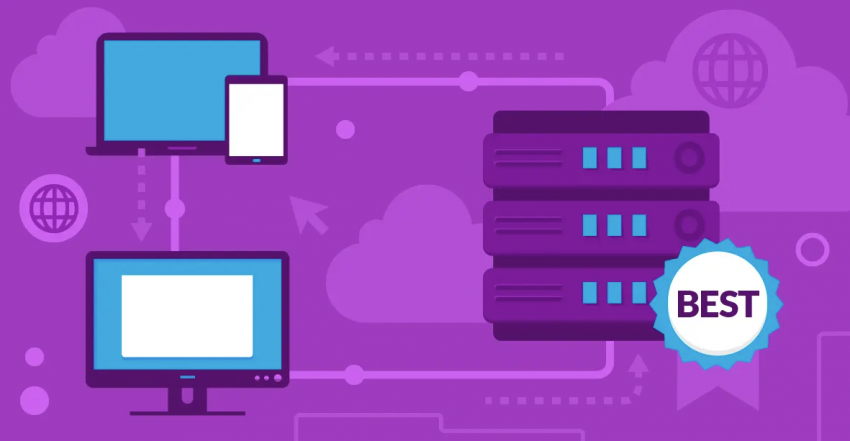
Web hosting is where your website lives online. It’s like renting space on the internet for your content, products, or services. Picking the right hosting can make the difference between a website that runs smoothly and one that is slow, unreliable, or difficult to manage.
Key Factors for Beginners
When selecting hosting as a beginner, focus on these factors:
- Ease of use: Beginners need a simple control panel and one-click setup for websites.
- Reliability: Your host should offer high uptime (99.9% or more).
- Performance: Fast loading times improve user experience and SEO.
- Support: 24/7 customer support is essential if you encounter problems.
- Pricing: Affordable plans without hidden fees are ideal for starting out.
Types of Web Hosting
Before picking a host, it’s important to understand the main types of hosting available.
Shared Hosting
Shared hosting is the most beginner-friendly and cost-effective option. Your website shares server resources with other websites.
Pros:
- Affordable pricing
- Easy to set up
- No technical maintenance required
Cons:
- Limited resources
- Performance may slow if other sites on the server get high traffic
Example:
A personal blog or small business website can start with shared hosting for around $2–$5 per month.
WordPress Hosting
WordPress hosting is optimized specifically for WordPress websites. It often includes pre-installed WordPress, automatic updates, and better security.
Pros:
- Easy WordPress setup
- Optimized performance for WordPress sites
- Automatic updates and backups
Cons:
- Slightly more expensive than basic shared hosting
- Limited to WordPress sites
Example:
A travel blog using WordPress can benefit from managed WordPress hosting to save time on maintenance.
VPS Hosting
Virtual Private Server (VPS) hosting gives you more control and resources. It’s a step up from shared hosting but requires some technical knowledge.
Pros:
- Dedicated resources
- Better performance and security
- More flexibility
Cons:
- Higher cost
- Requires technical knowledge to manage
Example:
An e-commerce store expecting moderate traffic may start with VPS hosting to handle more users without slowing down.
Cloud Hosting
Cloud hosting uses multiple servers to host your site, making it scalable and reliable.
Pros:
- Scalable resources based on traffic
- High uptime
- Flexible pricing options
Cons:
- Can be more complex for beginners
- Pricing can be confusing
Example:
A startup blog expecting fast growth can use cloud hosting to handle traffic spikes during marketing campaigns.
Best Web Hosting Providers for Beginners
Here is a list of beginner-friendly hosting providers with examples of what makes them suitable.
Bluehost
Bluehost is one of the most popular hosting providers for beginners, recommended by WordPress.org.
Features:
- Free domain for the first year
- One-click WordPress installation
- 24/7 customer support
Pros:
- Easy to use for beginners
- Affordable starter plans
- Reliable uptime
Cons:
- Renewal rates are higher than initial pricing
- Limited advanced features on basic plans
Example:
A small business website or blog can start with Bluehost’s basic shared hosting at $2.95/month.
SiteGround
SiteGround is known for excellent customer support and fast server performance.
Features:
- Free SSL certificate
- Daily backups
- Managed WordPress hosting is available
Pros:
- High performance and reliability
- Beginner-friendly interface
- Excellent support
Cons:
- Pricing is higher than that of some other beginner hosts
- Limited storage on basic plans
Example:
A lifestyle blog can benefit from SiteGround’s managed WordPress hosting for better site speed and security.
Hostinger
Hostinger offers affordable hosting plans and a user-friendly website builder.
Features:
- Free website builder
- Free SSL certificate
- LiteSpeed caching for fast performance
Pros:
- Extremely affordable
- Easy-to-use control panel
- Good for beginners
Cons:
- Support can be slower on free plans
- No phone support
Example:
A student starting a personal blog can use Hostinger’s single shared hosting plan for just $1.99/month.
DreamHost
DreamHost is beginner-friendly and offers a 97-day money-back guarantee.
Features:
- Free domain and SSL
- Easy WordPress installation
- 24/7 support
Pros:
- Simple and clean interface
- Good performance
- Transparent pricing
Cons:
- No email included on basic plans
- Limited phone support
Example:
A tech blogger can use DreamHost’s shared hosting to start a website without worrying about technical setup.
A2 Hosting
A2 Hosting is known for speed and developer-friendly features.
Features:
- Turbo servers for faster loading
- Free SSL and Cloudflare CDN
- 24/7 support
Pros:
- Very fast performance
- Optimized for WordPress and other CMS
- Reliable uptime
Cons:
- Turbo plans are more expensive
- Interface is slightly less beginner-friendly than Bluehost
Example:
A photography blog with image-heavy content can use A2 Hosting’s Turbo plan for faster loading.
Key Features to Look for in Beginner Web Hosting
When evaluating hosting, consider the following features:
Easy-to-Use Control Panel
Look for a hosting provider with a beginner-friendly control panel like cPanel or a custom dashboard. It should allow you to manage domains, email accounts, and files without technical knowledge.
One-Click Website Installation
A one-click installer for WordPress, Joomla, or other platforms saves time and simplifies setup.
Free SSL Certificate
SSL certificates secure your website and are important for SEO. Many beginner hosts include SSL for free.
Uptime Guarantee
Choose a host that guarantees at least 99.9% uptime to ensure your website is accessible to visitors at all times.
Customer Support
24/7 support via chat, email, or phone is crucial for beginners who may encounter technical issues.
Pricing and Renewal Rates
Check both the initial pricing and renewal rates. Many hosts offer low introductory prices that increase after the first term.
Tips for Beginners Choosing Web Hosting
Start Small
Begin with a shared hosting plan and upgrade later as your website grows. This keeps costs low while you learn the basics.
Check Reviews and Reputation
Look for reviews from other beginners and see if the hosting provider is reliable and supportive.
Consider Future Needs
Even if you’re starting small, consider whether your host can handle more traffic, email accounts, or e-commerce features in the future.
Take Advantage of Free Trials
Many hosts offer free trials or money-back guarantees. Use these to test the service before committing.
FAQs About Web Hosting for Beginners
What is web hosting, and why do I need it?
Web hosting is a service that stores your website on a server so people can access it online. You need it to make your website live on the internet.
How much does beginner web hosting cost?
Most beginner hosting plans range from $1.99 to $5 per month. Prices vary depending on the provider and plan features.
Can I start a website without web hosting?
You can use platforms like Medium or Wix, but for full control, a domain name and web hosting are necessary.
Which hosting is best for WordPress beginners?
Bluehost, SiteGround, and DreamHost are excellent options for WordPress beginners due to easy setup and strong support.
Do I need technical knowledge for beginner hosting?
No. Most beginner-friendly hosts offer one-click installations and easy-to-use dashboards, so you don’t need coding skills.
Can I upgrade hosting later?
Yes. Most hosting providers allow you to upgrade from shared hosting to VPS or cloud hosting as your website grows.
Conclusion
Choosing the best web hosting for beginners doesn’t have to be overwhelming. Focus on ease of use, reliability, performance, support, and pricing. Providers like Bluehost, SiteGround, Hostinger, DreamHost, and A2 Hosting offer beginner-friendly plans that make it simple to get started.
Start small with shared hosting, ensure you have the features you need, and upgrade as your website grows. The right hosting will save you time, improve your website’s performance, and set a strong foundation for future growth.
By using the guidance and examples in this guide, beginners can confidently pick a web host and launch a website that is fast, secure, and reliable.