How to Automate Your Business with AI
Artificial intelligence (AI) is revolutionizing the way businesses operate. From streamlining workflows and improving productivity to enhancing customer experience and decision-making, AI automation allows business owners to focus on growth rather than repetitive tasks. The best part? You don’t need a tech team or a degree to start integrating AI into your business.
In this detailed guide, you will learn how to automate your business with AI, including practical examples, step-by-step strategies, and frequently asked questions. Whether you are a small business owner, freelancer, or entrepreneur, AI automation can save time, reduce costs, and scale your business faster.
What Is AI Business Automation?
AI business automation uses artificial intelligence to perform tasks that were previously manual or repetitive. These tasks can range from customer support and marketing to inventory management and data analysis.
Benefits of AI Automation for Businesses
- Saves time and reduces human error
- Improves efficiency and productivity
- Enhances customer experience
- Enables data-driven decision-making
- Reduces operational costs
By automating repetitive processes, you can focus on strategic initiatives that grow your business.
Why Automate Your Business with AI?
Automation is no longer a luxury; it’s a necessity for competitive businesses.
Key Reasons for AI Automation
- Handle repetitive tasks without human intervention
- Operate 24/7 without fatigue
- Quickly analyze large datasets
- Personalize customer interactions
- Scale operations without increasing headcount
Businesses that adopt AI early can gain a significant edge over competitors.
Areas of Business That Can Be Automated with AI
AI can automate almost every aspect of a business. Key areas include:
Customer Support
- Chatbots for instant responses
- Automated ticketing systems
- AI-driven email support
Marketing and Sales
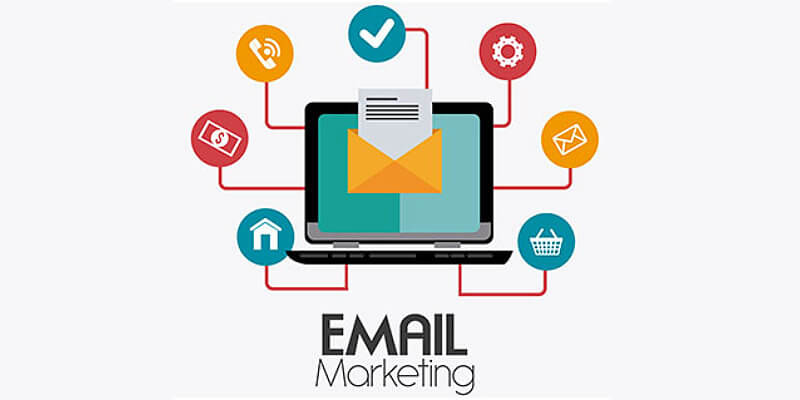
- Email automation and lead nurturing
- Social media posting and analytics
- AI-powered ad targeting
Operations
- Inventory management
- Order processing
- Scheduling and task management
Data Analysis and Decision-Making
- Predictive analytics
- Performance dashboards
- Business intelligence reporting
Step 1: Identify Repetitive Tasks to Automate
Before implementing AI, determine which tasks consume the most time without adding significant value.
Examples of Tasks to Automate
- Answering common customer inquiries
- Sending follow-up emails
- Generating reports
- Posting on social media
- Processing invoices
Example
A small e-commerce business automates order confirmation emails and FAQ responses, saving the customer service team hours every week.
Step 2: Choose the Right AI Tools
There are many AI tools available for businesses. Selecting the right tool depends on the tasks you want to automate.
Popular AI Tools for Automation
Customer Support
- ChatGPT for conversational AI
- Zendesk AI for ticketing automation
- Tidio for chatbots
Marketing Automation
- Mailchimp for email campaigns
- HubSpot AI for CRM automation
- Canva AI for social media content
Operations and Workflow Automation
- Zapier for app integrations and workflows
- Make (Integromat) for complex automation
- Trello + AI plugins for project management
Data Analysis
- Tableau with AI analytics
- Microsoft Power BI with AI
- Google Analytics with AI insights
Step 3: Implement AI in Customer Support
Customer support is one of the most common areas for AI automation.
How to Automate Customer Support
- Integrate chatbots to handle FAQs
- Use AI to triage tickets and route them to the correct team
- Implement AI-powered sentiment analysis to detect unhappy customers
Example
A SaaS company implements a chatbot that answers common setup questions and escalates complex issues to human agents. This reduces response time from hours to seconds.
Step 4: Automate Marketing and Sales
Marketing automation allows you to reach customers efficiently while saving time.
Ways to Automate Marketing
- Schedule social media posts with AI-generated content
- Send personalized email sequences
- Use AI to analyze website visitor behavior and generate leads
Example
An online course creator uses AI to segment email lists and send automated course reminders, increasing sales without manual intervention.
Step 5: Automate Operations and Workflow
Operational automation reduces manual errors and increases efficiency.
Operations That Can Be Automated
- Order processing and fulfillment
- Employee scheduling and task management
- Inventory tracking and restocking
Example
A small retail business uses AI to automatically reorder products when inventory runs low, preventing stockouts and lost sales.
Step 6: Automate Data Analysis and Reporting
AI can process data faster than humans, revealing trends and insights in minutes.
Types of AI Data Automation
- Predictive analytics for sales forecasts
- Performance dashboards for real-time insights
- Automated reporting to track KPIs
Example
A marketing agency uses AI analytics tools to create weekly reports for clients, reducing reporting time from days to minutes.
Step 7: Combine AI Tools for Maximum Impact
The most effective automation uses multiple AI tools working together.
Example Workflow
- ChatGPT for writing marketing emails
- Mailchimp to schedule and send emails
- Zapier to integrate lead collection forms into the CRM
- Power BI to track campaign performance
This integrated approach ensures seamless operations without manual intervention.
Tips for Successful AI Automation
Start Small
Automate a single task first, then expand gradually.
Test and Monitor
Ensure AI performs accurately and delivers the expected results.
Personalize Where Needed
Even automated processes benefit from human touch and customization.
Choose Scalable Tools
Select AI tools that can grow with your business.
Keep Learning
AI tools are evolving rapidly, so continuous learning is essential.
Challenges of AI Business Automation
AI is powerful, but it’s not without challenges.
Common Challenges
- Initial setup can be complex
- Some tools require subscriptions
- AI outputs may need human oversight
- Integration issues with existing systems
- Security and data privacy concerns
Addressing these challenges ensures a smoother automation journey.
Real-Life Example: AI Automation in Action
A small e-commerce business automates:
- Customer inquiries with a chatbot
- Email follow-ups using AI templates
- Social media posts through scheduling tools
- Sales reporting with AI analytics
Result: The owner saves 20 hours per week, reduces errors, and increases revenue by 15% without hiring additional staff.
FAQs About Automating Your Business with AI
Can I automate my business without technical skills?
Yes, many AI tools are designed for non-technical users with drag-and-drop interfaces.
How much does AI automation cost?
Costs vary. Some AI tools have free plans, while advanced automation platforms may charge subscriptions ranging from $20–$500/month depending on features.
Will AI replace employees?
AI automates repetitive tasks but does not replace human creativity, strategy, or relationship management. It enhances employee productivity instead.
How long does it take to see results from AI automation?
Simple automations can deliver results immediately, while complex workflows may take weeks to optimize.
Is AI automation safe for sensitive business data?
Yes, as long as you use reputable tools with encryption, GDPR compliance, and secure integrations.
Future of AI Business Automation
AI will continue to expand its capabilities, making automation more intelligent and accessible.
Emerging Trends
- Predictive AI for business forecasting
- AI-driven personalization in marketing
- Autonomous operations and logistics
- Integration of AI with IoT devices
Businesses that adopt AI early will gain a competitive advantage.
Final Thoughts on How to Automate Your Business with AI
AI business automation is no longer a futuristic concept—it’s here and accessible to everyone. By identifying repetitive tasks, selecting the right tools, and integrating automation across customer support, marketing, operations, and data analysis, businesses can save time, reduce costs, and scale faster.
The key to successful AI automation is starting small, testing frequently, and combining tools for maximum efficiency. Whether you are a solopreneur, small business owner, or manager of a growing company, AI can transform the way you operate, giving you more freedom to focus on growth and innovation.