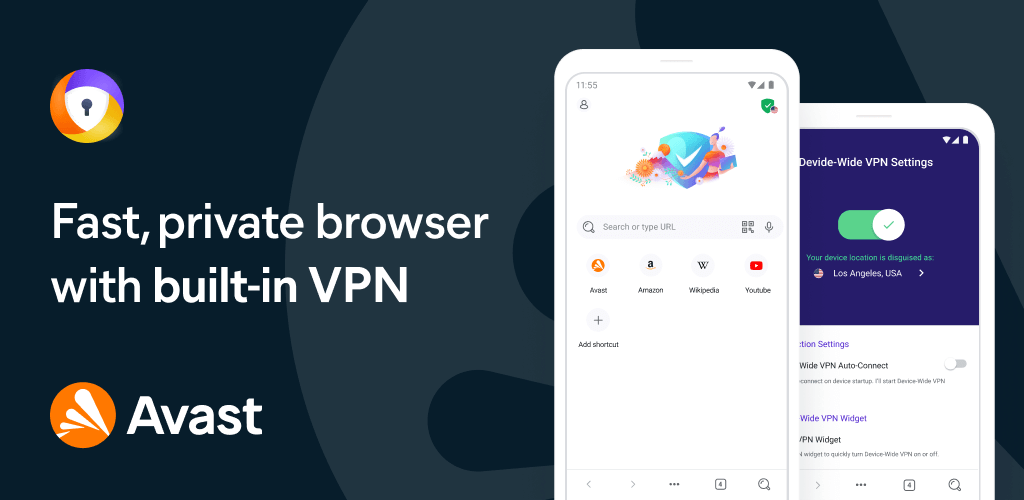
Avast Secure Browser for Windows
In a world where online privacy and digital security are increasingly under threat, choosing the right web browser is crucial. If you’re a Windows user seeking a browser that offers both high performance and robust security features, Avast Secure Browser deserves your attention.
This article explores everything you need to know about Avast Secure Browser for Windows — from its key features and advantages to how it compares with popular browsers like Chrome and Firefox. Whether you’re a casual surfer or a privacy enthusiast, read on to find out if this browser is the right fit for you.
What is Avast Secure Browser?
Avast Secure Browser is a free, Chromium-based web browser developed by Avast, a well-known name in the cybersecurity industry. Unlike traditional browsers, Avast Secure Browser is specifically designed with privacy, speed, and security at its core.
Because it’s built on Chromium (the same engine that powers Google Chrome), it supports Chrome extensions and delivers fast performance, while integrating a suite of built-in tools to help protect your data from prying eyes.
Key Features of Avast Secure Browser for Windows
1. Bank Mode
One of the standout features, Bank Mode, creates a secure, isolated desktop environment for online banking and shopping. This helps prevent hackers from capturing your keystrokes or screen data while accessing sensitive financial sites.
2. Ad Blocker
Avast Secure Browser comes with a powerful, customizable ad blocker that speeds up page loading and eliminates intrusive ads. You can choose from different blocking levels depending on your preferences, enhancing both security and user experience.
3. Anti-Tracking Technology
Web trackers follow your online activity to serve targeted ads and build profiles without your consent. Avast Secure Browser blocks tracking scripts, cookies, and other mechanisms to protect your anonymity online.
4. Hack Check
This feature checks whether your email address or passwords have been compromised in data breaches. It’s a great tool to stay informed and secure your online accounts proactively.
5. Secure Extension Guard
Many browser extensions request unnecessary permissions or even harbor malware. Avast’s Secure Extension Guard analyzes and blocks potentially unsafe add-ons, allowing only verified, trustworthy ones.
6. HTTPS Encryption Enforcer
Avast Secure Browser forces websites to use HTTPS, the encrypted version of HTTP, whenever possible. This ensures that your communications with websites are secure and less vulnerable to eavesdropping or tampering.
7. Video Downloader
Need to save videos from popular sites like YouTube or Vimeo? Avast Secure Browser includes a built-in video downloader—no need for third-party software or sketchy plugins.
Performance: Speed & Efficiency
Despite its security-heavy nature, Avast Secure Browser does not compromise on speed. It’s built-in ad and tracker blockers reduce the number of elements your browser has to load, which can result in noticeably faster page loads.
Plus, its Chromium foundation ensures modern standards, compatibility with web technologies, and smooth rendering — all without eating up your system resources like some other browsers might.
Avast Secure Browser vs. Chrome and Firefox
Here’s a quick comparison of Avast Secure Browser with two of the most widely used browsers:
| Feature | Avast Secure Browser | Google Chrome | Mozilla Firefox |
|---|---|---|---|
| Ad Blocking | Built-in | Extension required | Extension required |
| Anti-Tracking | Built-in | Limited (w/o add-ons) | Built-in (Standard/Strict modes) |
| Secure Shopping Mode | Yes (Bank Mode) | No | No |
| Password Leak Checker | Yes | Yes (via Google) | Yes (via Firefox Monitor) |
| Video Downloader | Yes (built-in) | No (add-on needed) | No (add-on needed) |
| Extension Support | Chrome-compatible | Chrome extensions | Firefox add-ons |
While Chrome remains a performance giant and Firefox offers excellent privacy features, Avast Secure Browser strikes a compelling balance between the two—delivering robust built-in security tools without the need for additional extensions.
How to Install Avast Secure Browser on Windows
Installing the browser is quick and easy:
- Visit the official Avast website: https://www.avast.com/secure-browser
- Click Download Now.
- Run the installer and follow the on-screen instructions.
- Optionally import bookmarks, history, and passwords from your previous browser.
Once installed, you’ll have immediate access to all privacy and performance features with no additional configuration required.
Pros and Cons
✅ Pros:
- Built-in privacy and security tools
- Chromium-based (supports Chrome extensions)
- Free to use
- Speeds up browsing with ad and tracker blocking
- Bank Mode for secure financial transactions
❌ Cons:
- Not as customizable as Firefox
- Slightly larger installation size than basic browsers
- Some advanced features require Avast Antivirus integration for full functionality
Who Should Use Avast Secure Browser?
Avast Secure Browser is ideal for:
- Privacy-focused users who want out-of-the-box protections without fiddling with extensions.
- Frequent online shoppers and bankers need extra security layers.
- Windows users seeking a fast, stable, and safe browsing experience.
- Non-technical users who want comprehensive security with minimal setup.
If you’re already using Avast Antivirus, the integration is seamless and provides an additional layer of protection.
Tips to Maximize Avast Secure Browser
- Enable Bank Mode whenever making financial transactions.
- Check Hack Check regularly to stay vigilant about password safety.
- Keep the browser updated to benefit from the latest security patches.
- Use the built-in VPN (if paired with Avast Premium Security) for complete anonymity.
Final Thoughts
In today’s digital landscape, simply browsing the web can expose you to a range of threats — from ad trackers to phishing scams. Avast Secure Browser for Windows offers a compelling alternative to mainstream browsers by combining speed, usability, and cutting-edge security features.
Whether you’re worried about online privacy or just tired of pop-up ads and slow page loads, Avast Secure Browser provides a safer, smoother way to surf the internet.
Ready to try it out? Download Avast Secure Browser today and take control of your online experience.